
Control Your Data
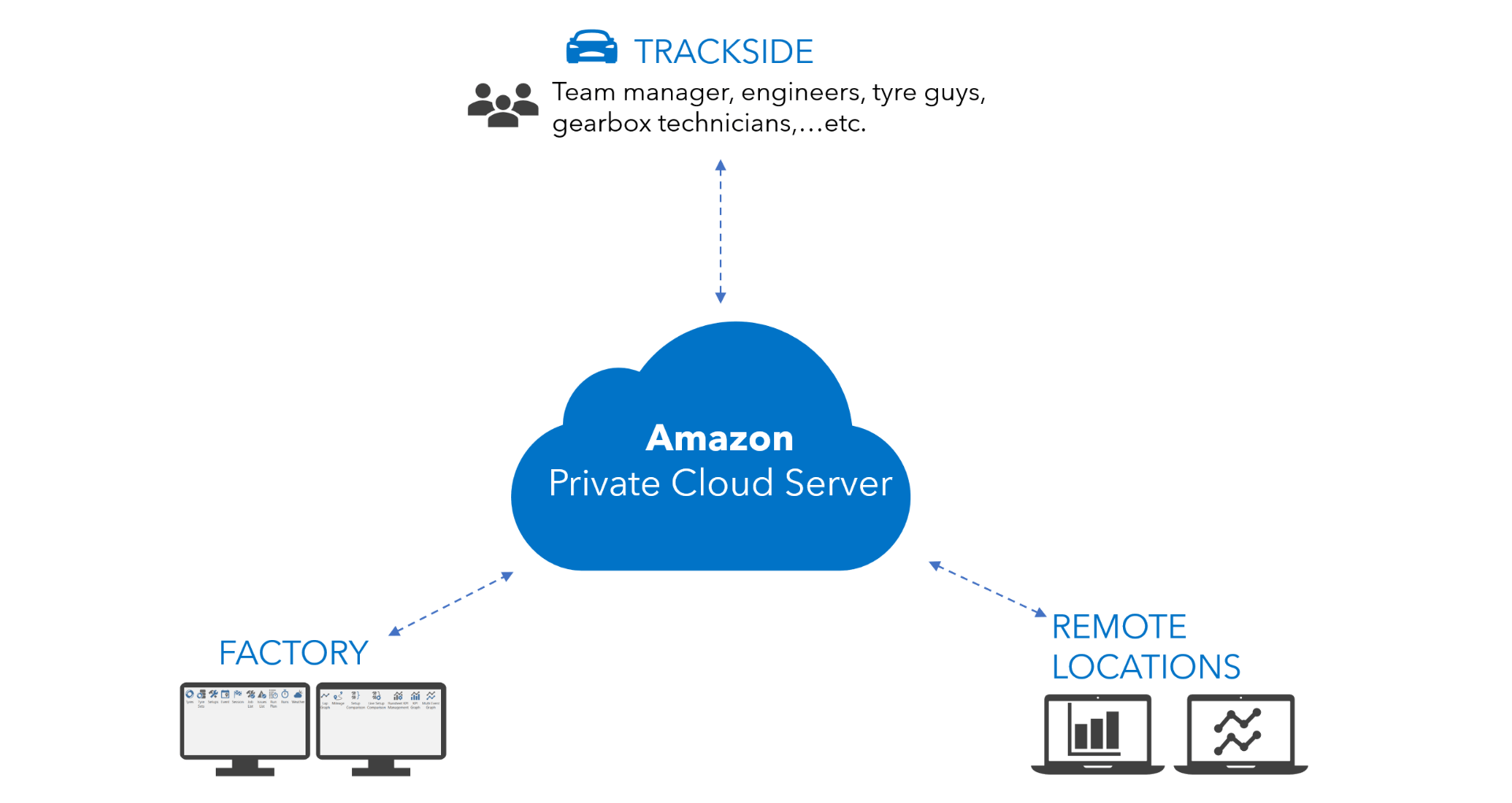
All team data is stored in a single software and you control access via user and group permissions

Offline Sync
All data is available offline allowing you to work with or without an internet connection

Highly Configurable
Flexible data schema and user interface can integrate with different car architectures and team workflows
Real-time data synchronization
All data is stored in a private database allowing quick and easy access to past event data. The offline synchronization ensures you always have access to your data, even if you do not have an internet connection.
- Seamlessly syncing
- Multi-user live collaboration with your team
- Work offline
Safety and Privacy
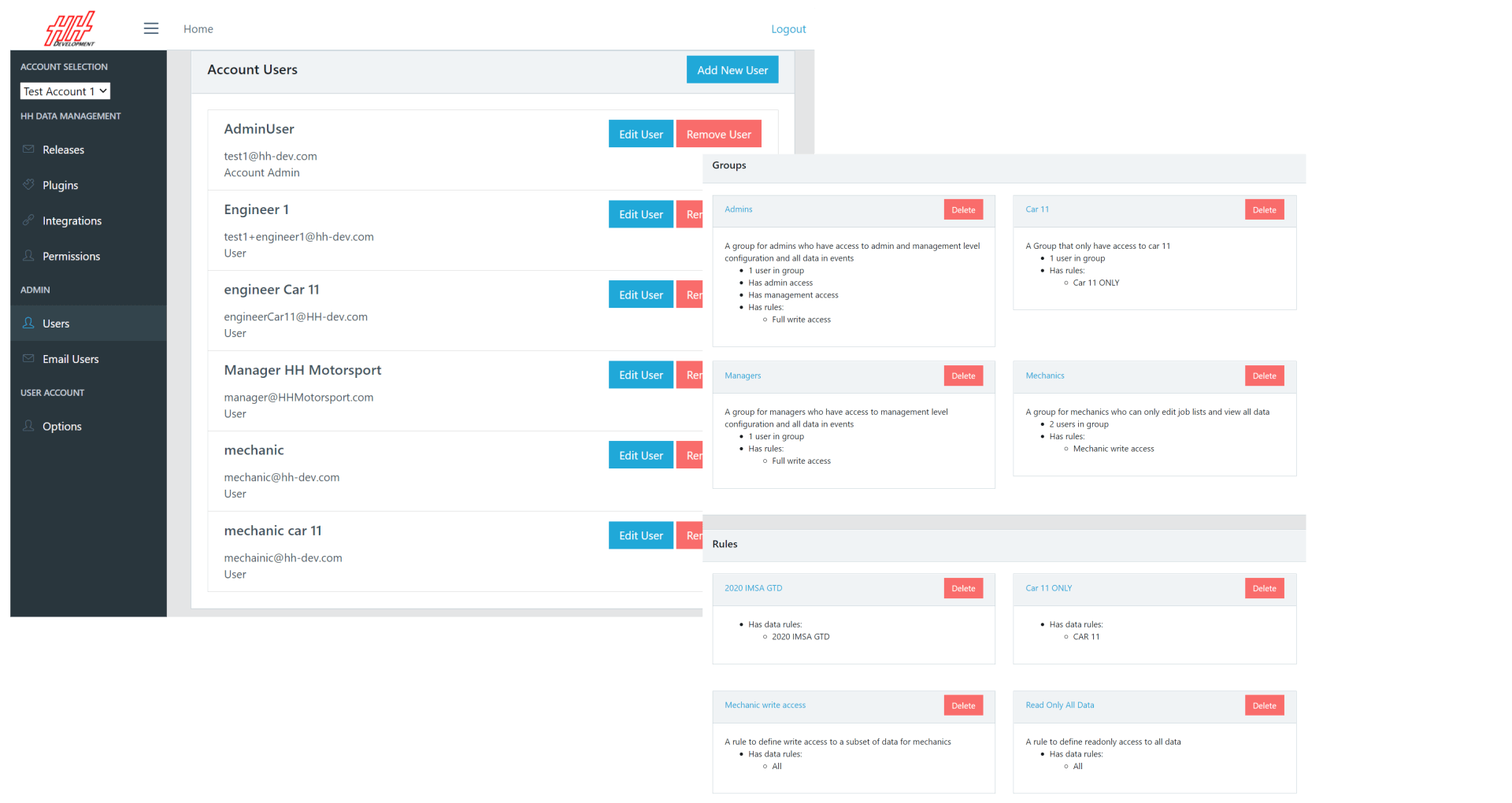
Control all data access via user and group permissions with our account management website to protect the flow of sensitive information.
- Database backup every 24h
- 30 days of backup data retained
- AWS Cloud Security practices
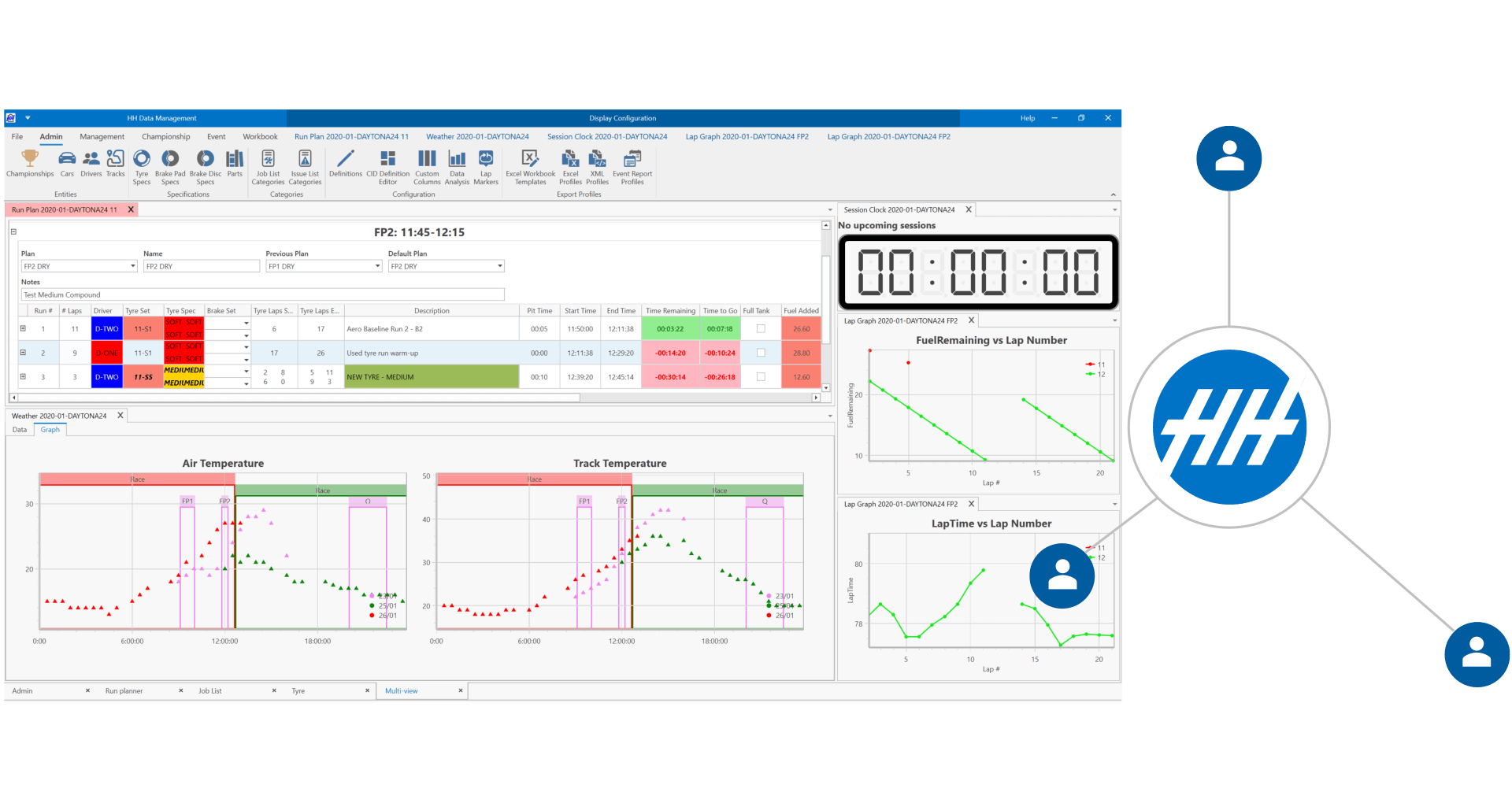
Organize your workflow for the season
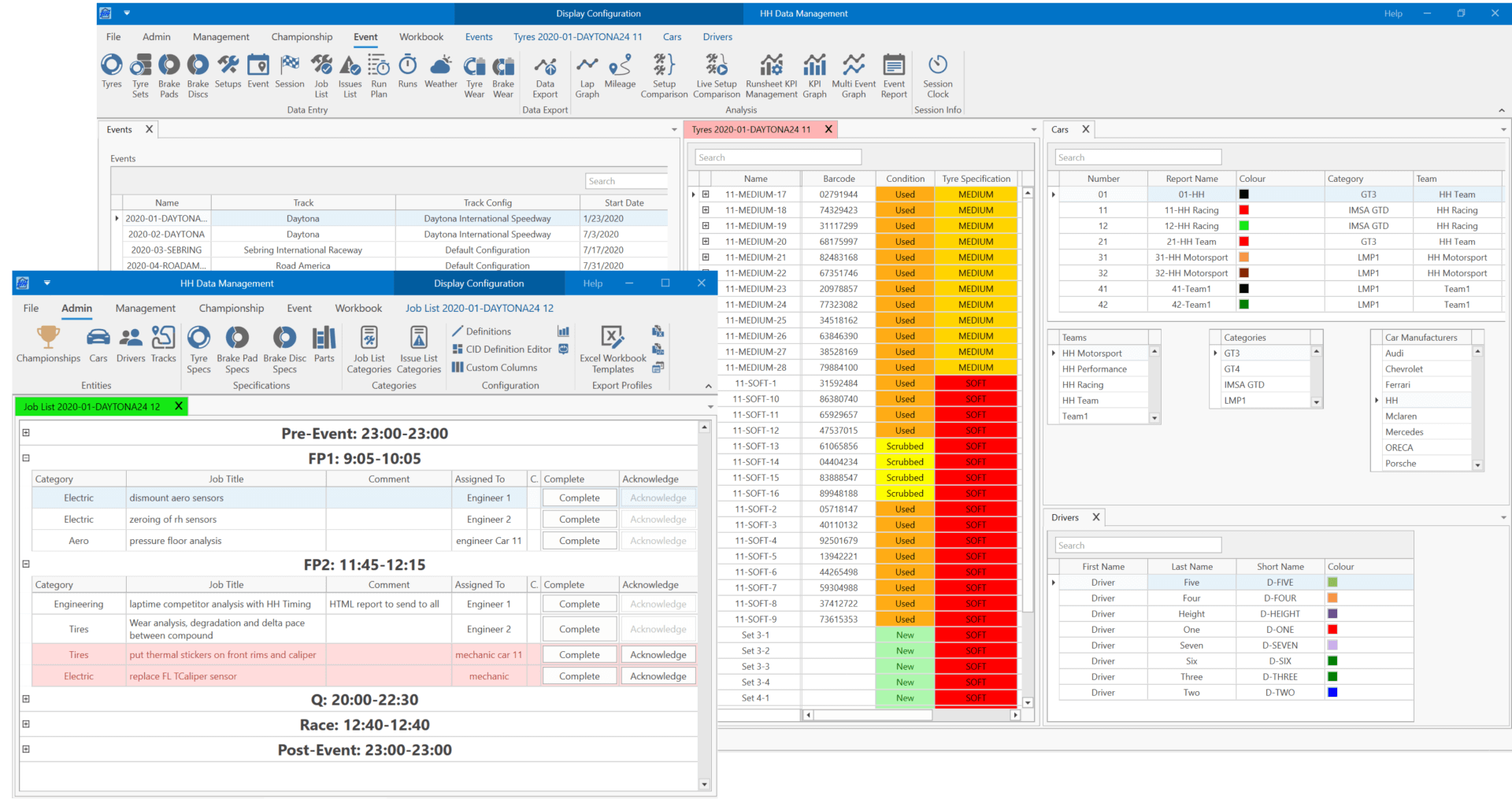
Create your championships, events and sessions to prepare your season. Add cars, drivers, tracks and create all parts and specifications you need. Easily manage your tyres, create your tyre sets and brake sets, and allocate them to a specific event.
A software built for teamwork
Empower your people to do their best work by editing together and sharing information. Assign tasks to your team members and follow the work done.
Visualize relevant data for any level of responsibility in your organization and keep everyone on the same page (engineers, team manager, technicians, tyre guy, mechanics…)
Run planner tool
Build your run plan for each session and update your plan live to optimize your running time on track. Anticipate any variation (weather, track status, etc.) by creating several scenarios prior to any running. Plan and detail each lap of your runs with your custom data.
- Driver
- Tyre and brake set
- Timing management (pit time, start time, time to go, etc.)
- Fuel management (fuel consumption, fuel remaining, etc.)
- …and more

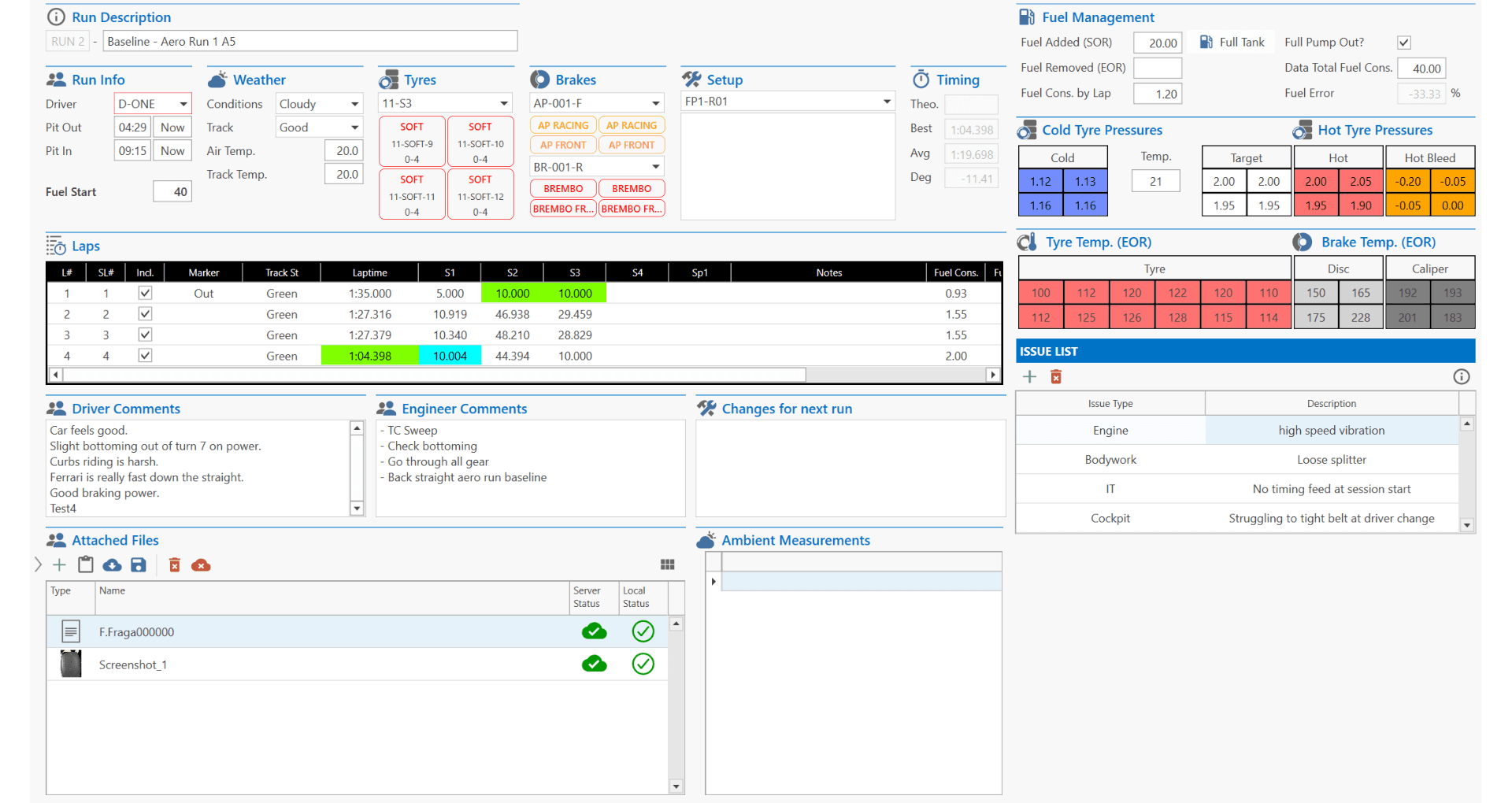
Run sheets
While the car is running, create the runs manually or use our live timing software to populate the runs and laps automatically.
- Manage your tyres (pressures, wear measurement, etc.)
- Manage the fuel in the car
- Share engineer and driver comments
- Update your issue list
- Change your setup
- Attach files
- …and more
Keep track of every important detail and engage the whole team to populate the run sheets with important information.
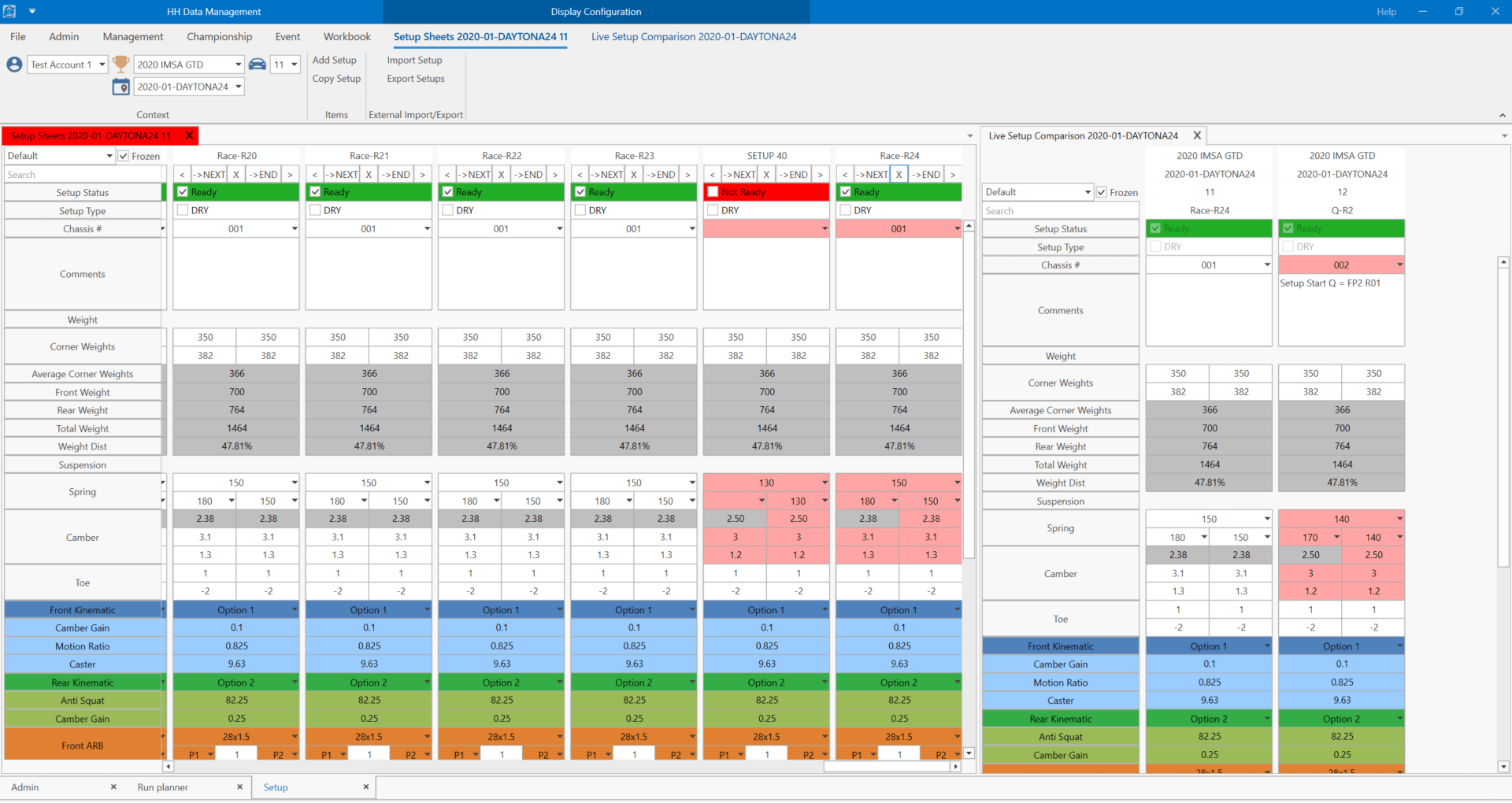
Setup sheets
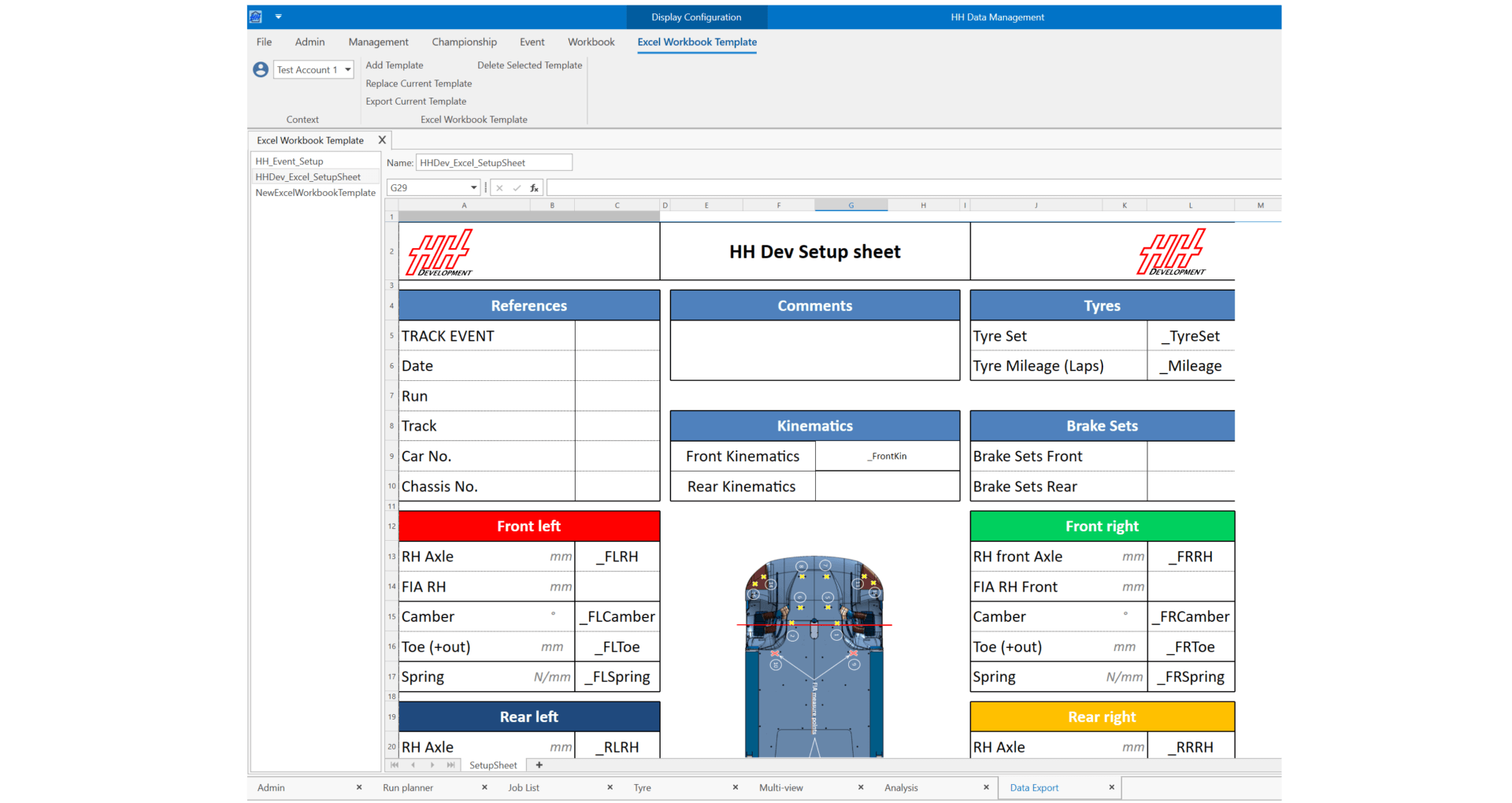
Create your own setup sheet design by using our layout and control toolbox. Add at any time new parts and parameters to get a fully customizable setup sheet.
Highlight the setup changes made during your session and compare any setup to each other. During the session, the live setup comparison allows to automatically compare the latest setups for each of your cars in your team.
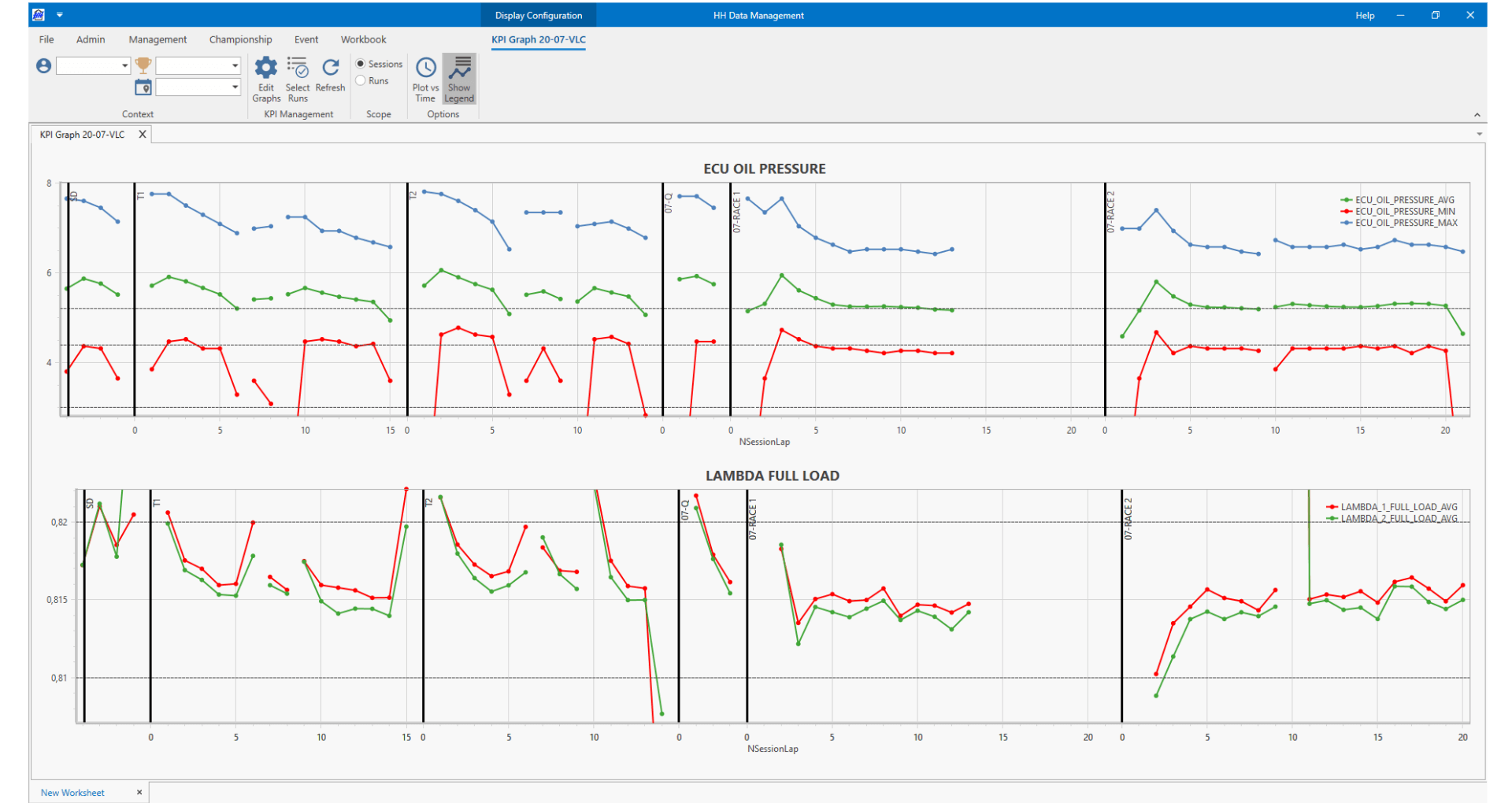
Lap KPI (Key Performance Indicator)
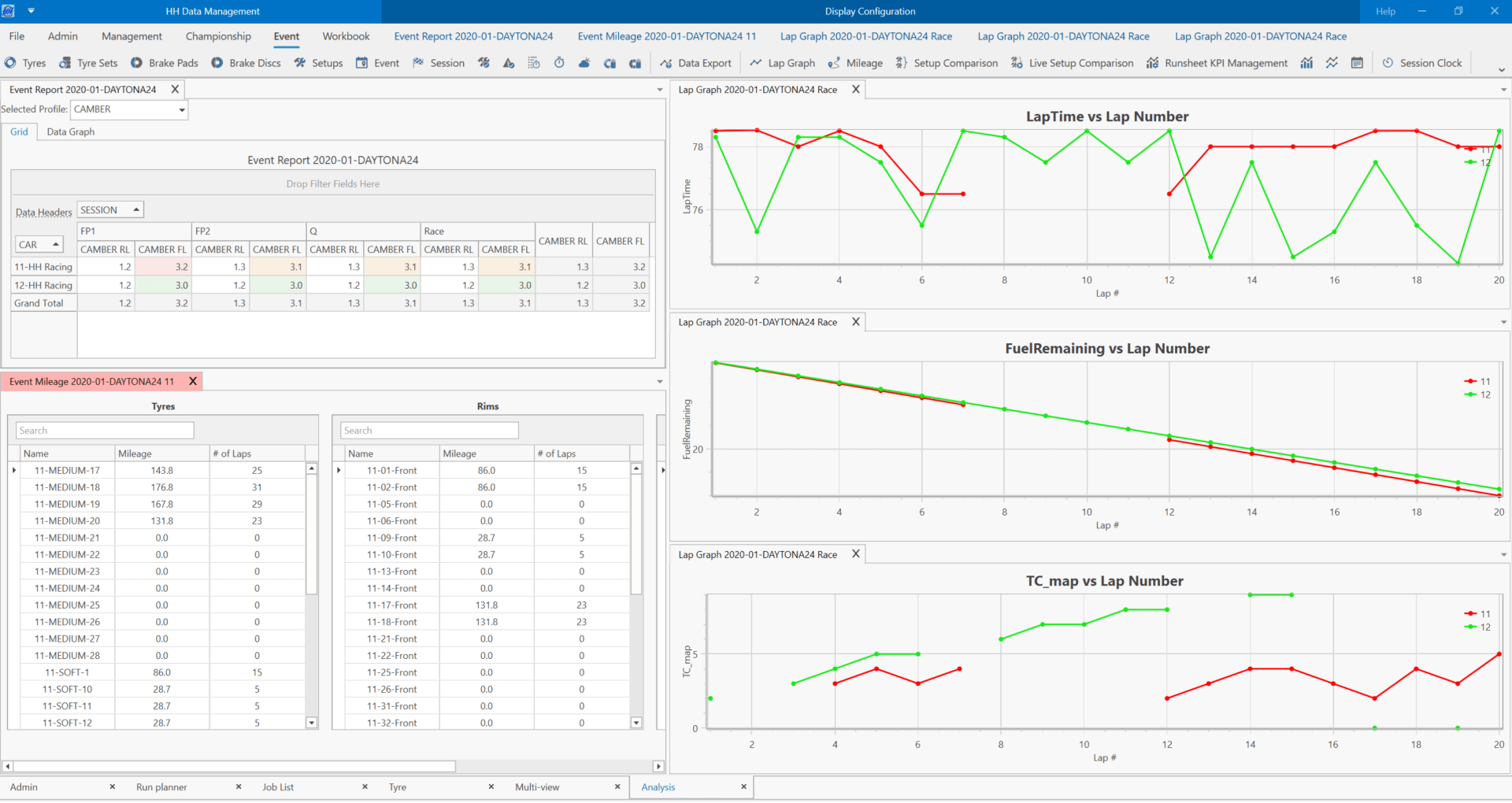
Analyse your car performance and reliability lap by lap:
- Create your own math channels and KPI definitions
- Plot vs lap number or session time
- Choose the sessions and runs you want to analyse
- Compare several cars to each other
- Current file data supported: Pi, Motec and WinDarab
Analyse and report
Access to any data stored in the database and filter by event, car, session, driver, track… etc. Create a season summary of your car setup parameters, add custom math channels to be overlayed and display your metrics lap by lap. Use the statistical analysis tool on event data to better highlight important information.
Export your data
Any data stored in your setup sheets and run sheets can be exported to Excel or XML format using a custom profile. Thanks to this feature, your setup can be used in any other software for simulation for example.
Connect live on the current session
Our live timing software HH Timing sends timing data straight to HH Data Management. When the plugin is used, the following happens automatically:
- A new run sheet is created for each outing with the correct start and end time
- Each lap is created within the run sheet
- The lap times and sector times are entered


Extensibility
- Create plugins to add custom functionality
- Custom screens and calculations
- Integrate with existing simulation tools
More Information
- Visit the Help Center
- Check out our YouTube Channel
- Download the brochure